
AI built into the Microsoft 365 apps your team already uses.
Tealdroid AI helps your team create content, analyze data, design presentations, summarize meetings and manage email — right inside Teams, SharePoint, Word, Excel, PowerPoint and Outlook, without leaving the apps they already use.
- Microsoft 365 Certified
- Runs in your own Azure
- No extra permissions
- 30-day free trial
Tealdroid AI in Outlook
One AI assistant, across your whole workday.
Instead of switching to a separate chatbot, your team gets AI where the work already happens — in the Microsoft 365 apps they open every day. It understands your documents, meetings and messages, and helps get real work done.
Who it's for
Microsoft 365 teams that want AI assistance without adopting yet another standalone tool.
The problem it solves
Repetitive drafting, summarizing and analysis — and the constant context-switching between apps.
How it helps
Content creation, data analysis, presentations, meeting summaries and email, in one consistent assistant.
Purpose-built for each app.
Tealdroid AI adapts to what each app is for — the same assistant, tuned to the task in front of you.
Teams
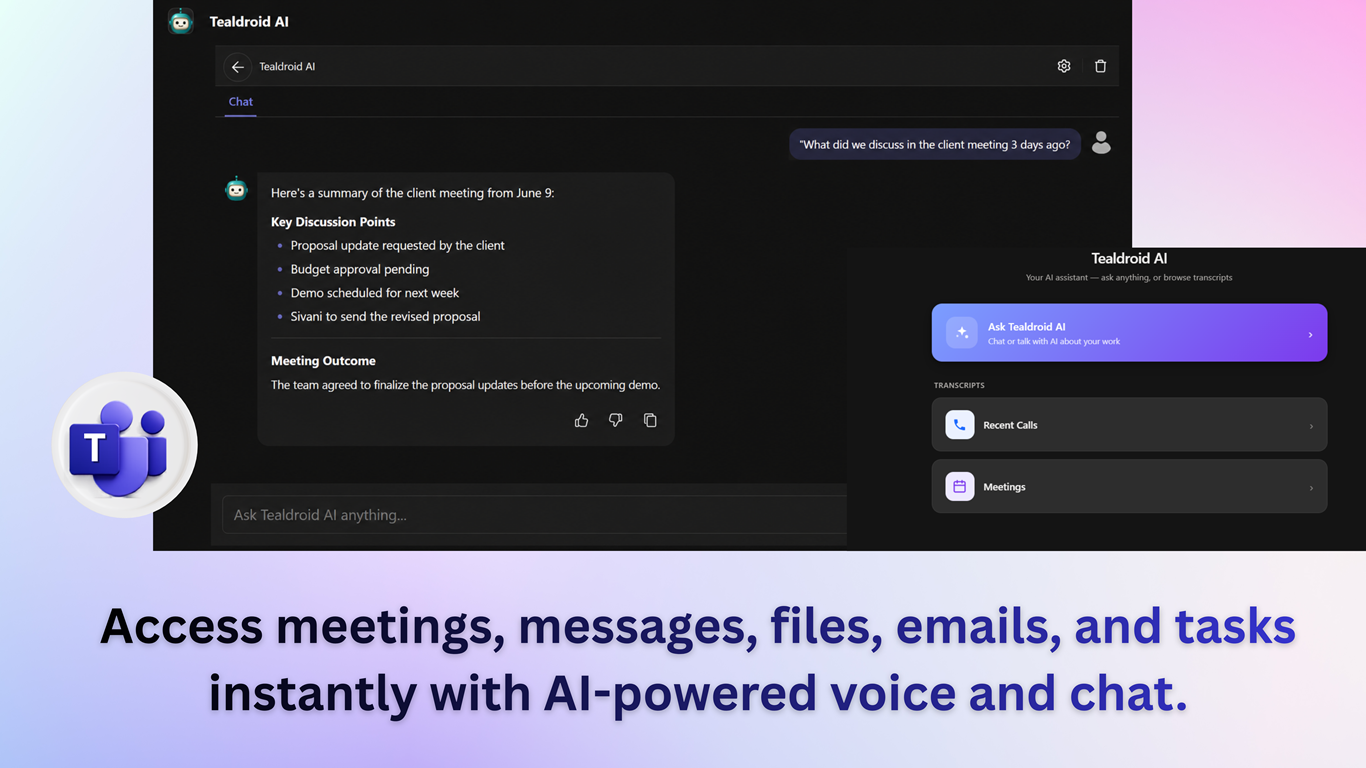
- Summarize any message, meeting or call and ask follow-up questions
- Schedule meetings or send messages with a simple request
- Natural-language search across messages and meetings
SharePoint
- AI page creation with 40+ flexible templates
- Ask questions about any document for instant answers
- Compare documents and versions, translate and read aloud

Word
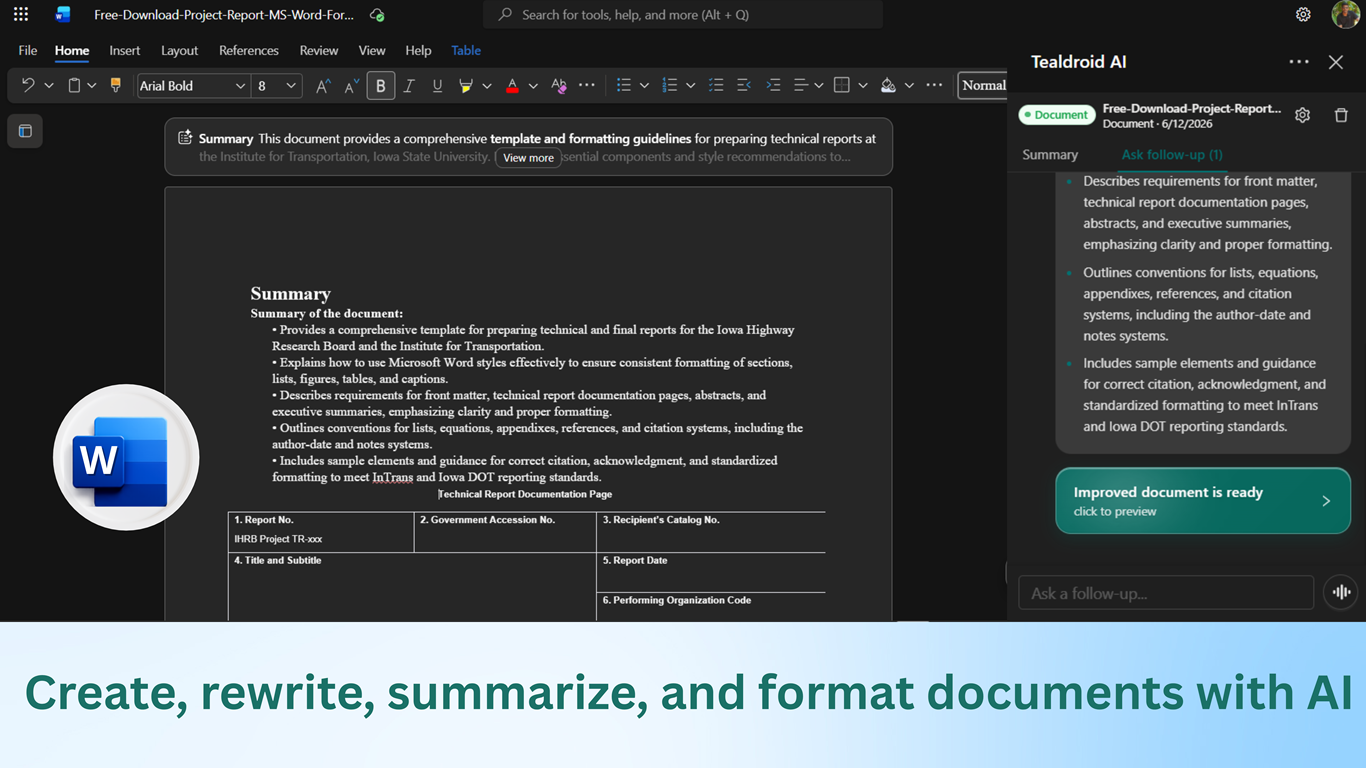
- Draft documents, outlines and proposals from prompts
- Inline rewriting, tone adjustments and concise edits
- Condense reports into executive summaries with tracked changes
Excel
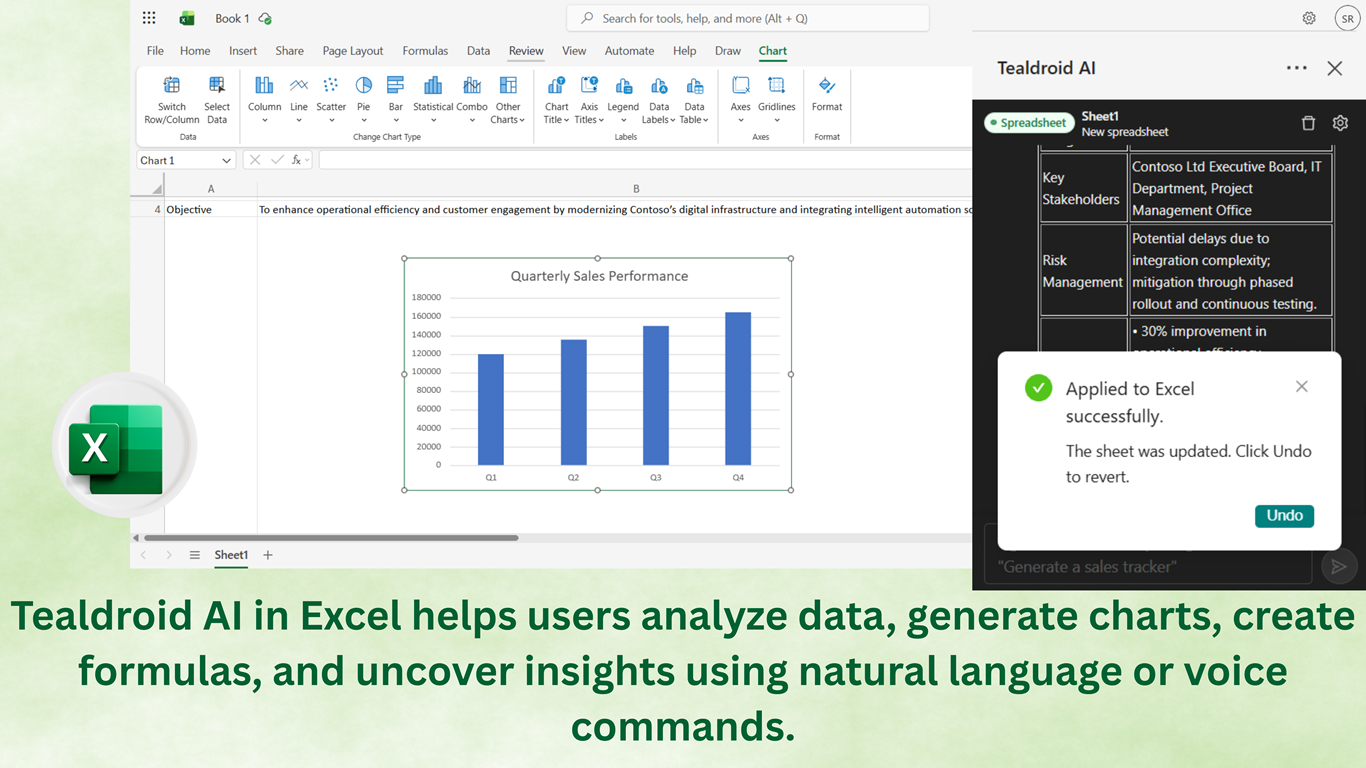
- Generate advanced formulas and explain existing ones
- Insert charts and pivot tables, clean and sort data
- Surface trends and run what-if scenario analysis

PowerPoint
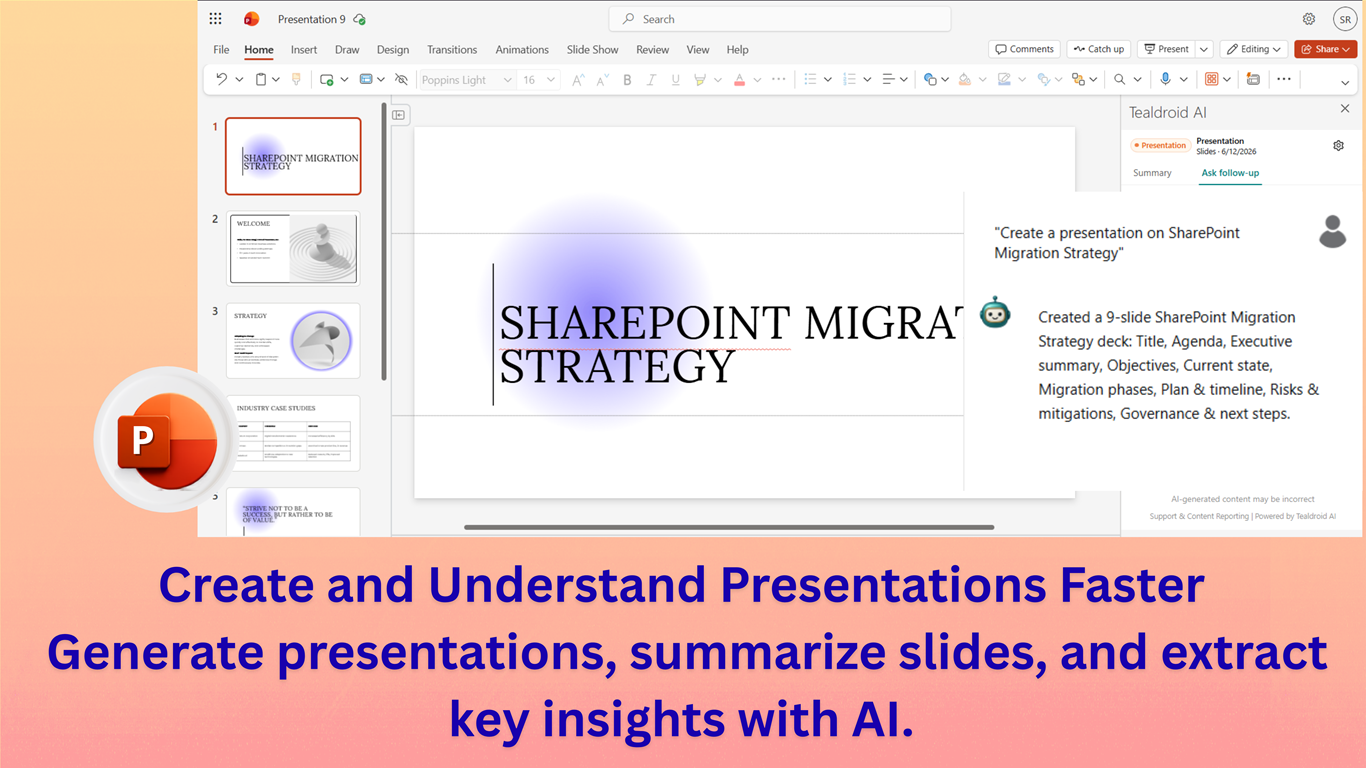
- Turn Word docs and reports into complete slide decks
- Preserve company themes, fonts and master-slide styles
- Condense wordy slides and summarize long decks
Outlook
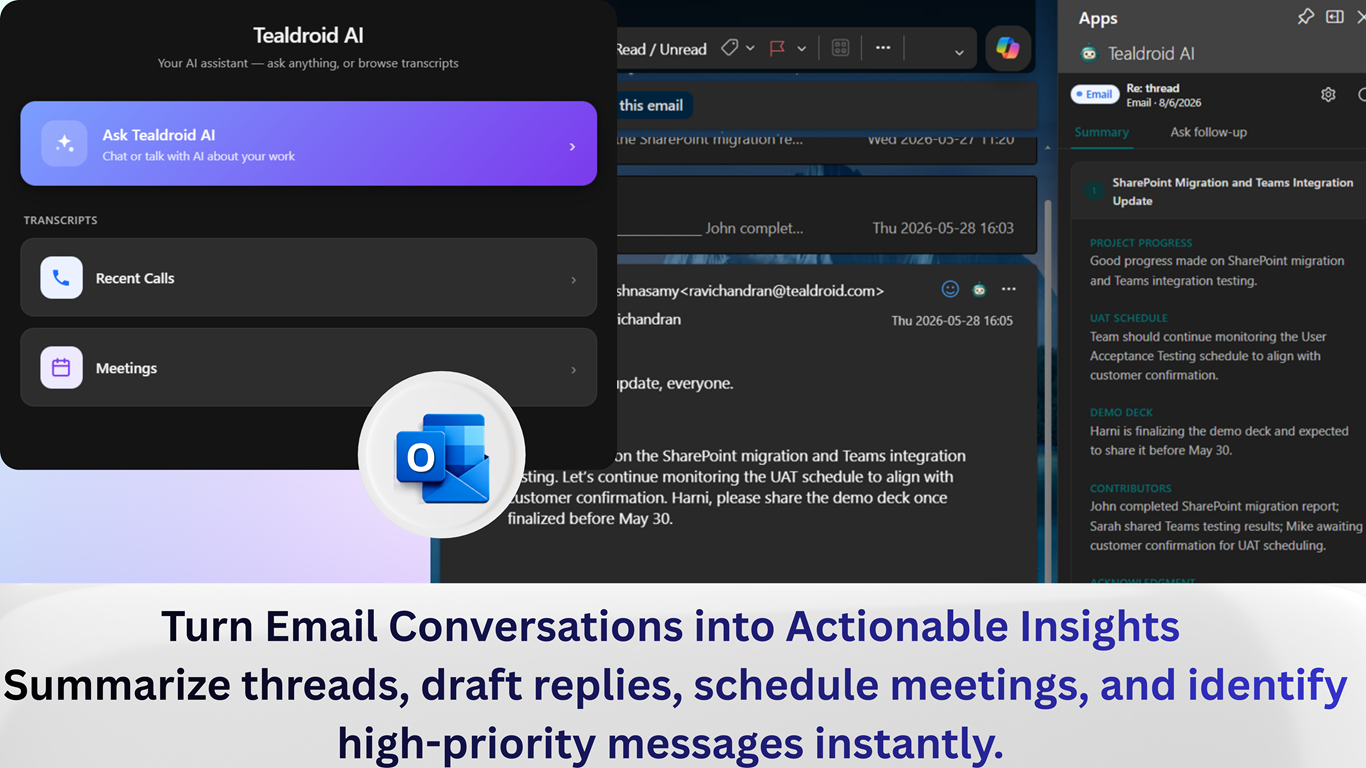
- Summarize long multi-person email threads instantly
- Draft contextual replies by tone and length
- Flag critical messages and turn threads into calendar invites
Voice and language, built in.
Two capabilities that set Tealdroid AI apart — hands-free voice across Microsoft 365, and translation in over 100 languages.
Live Voice AI
Have real-time voice conversations with AI inside Teams, SharePoint and Microsoft 365 — with multi-language understanding, and seamless switching between voice and chat.
Translation & read-aloud
AI translation in 100+ languages with 440+ neural voices for immersive read-aloud — supporting multi-language collaboration across your content.
Powerful AI, entirely in your control.
Tealdroid AI is built for enterprises that can't compromise on security — it runs inside your own Azure and respects your existing Microsoft 365 boundaries.
Runs in your own Azure
Azure OpenAI, Speech and Translator run in your Azure subscription and region — your Microsoft 365 content never leaves your tenant.
Your data stays yours
Your content is never used to train AI models. Processing happens inside your own environment under your policies.
No extra permissions
Tealdroid AI works within your users' existing Microsoft 365 permissions — no broad new access grants required.
Microsoft 365 Certified
Independently verified with evidence-based security, plus GDPR-ready and enterprise-grade compliance.
Choose how it's powered
Use Azure OpenAI in your own tenant, or self-host open-source models on Azure GPU or on-premises — including fully air-gapped networks. One deployment, your choice of backend.






Bring secure AI to your Microsoft 365 tenant.
Start a 30-day free trial from the Microsoft Marketplace, or review pricing to see what's included.