

See everything. Govern anything. Across your SharePoint tenant.
Lens gives administrators a clear, actionable view of who has access to what, how storage and content are being used, and what governance risks exist — then helps you act on it, from cleaning up stale access to scheduled scans that arrive as email reports.
- Free 30-day trial
- Microsoft-native auth
- Least-privilege by design
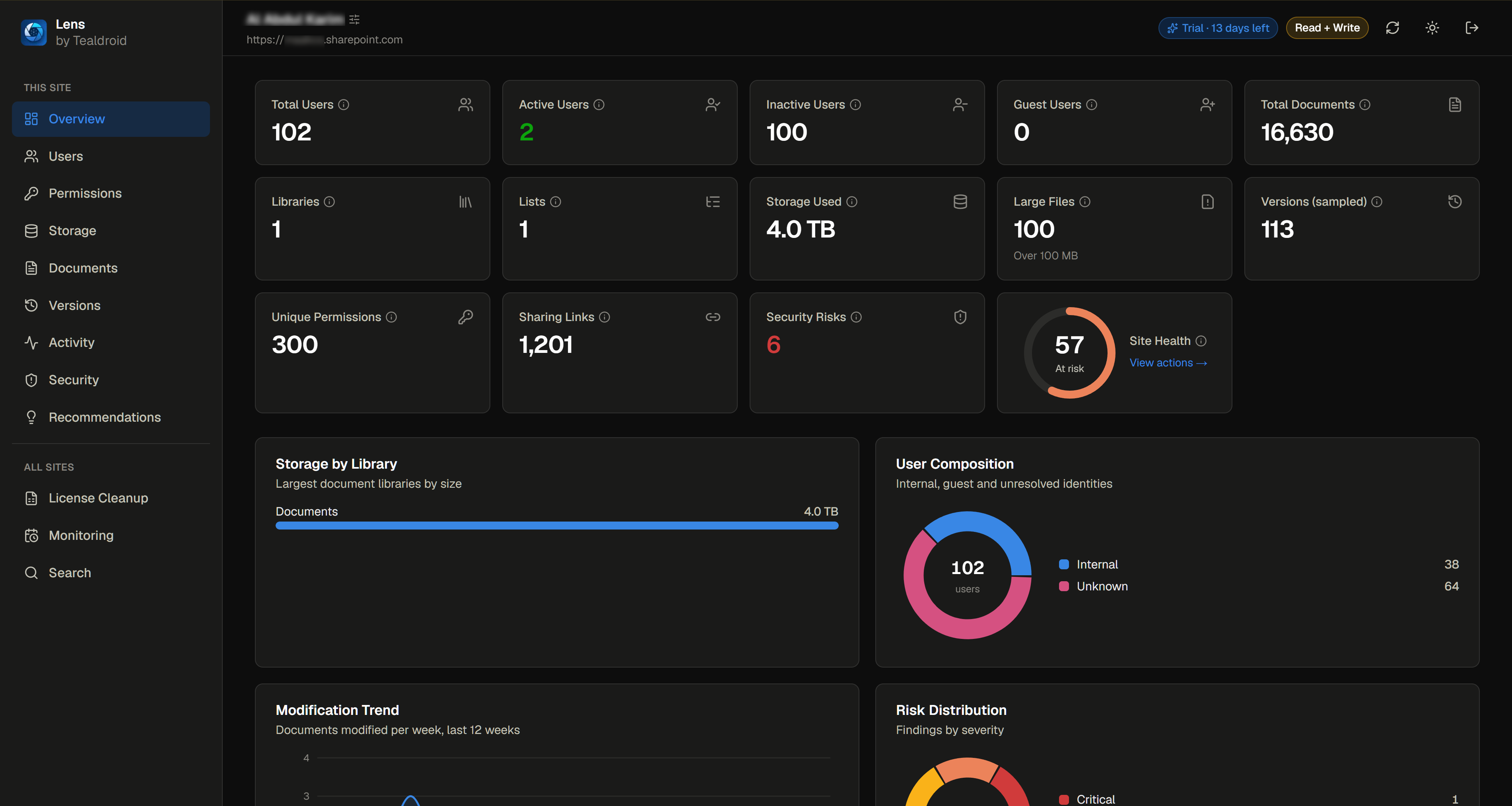
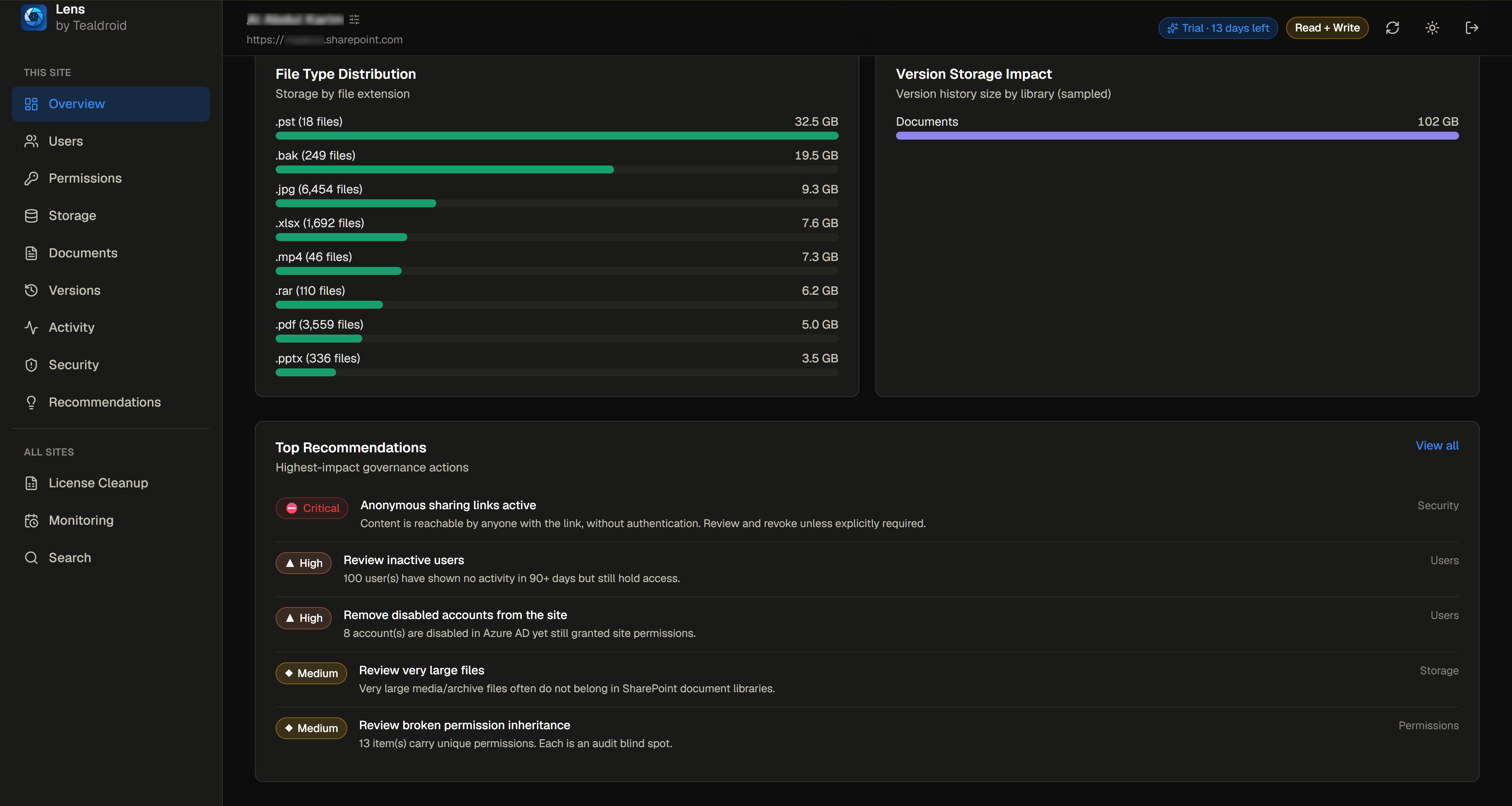
Site overview — users, storage, sharing links and a 0–100 site health score.
Microsoft 365 tenants sprawl. Lens brings them into focus.
Permissions accumulate, guests linger, versions pile up, and no one has a single place to see it all. Lens turns that fog into a clear picture — and gives you the tools to clean it up.
A complete governance toolkit.
From analytics to cleanup, Lens covers the full arc — see the problem, understand it, and act on it safely.
Tenant & site analytics
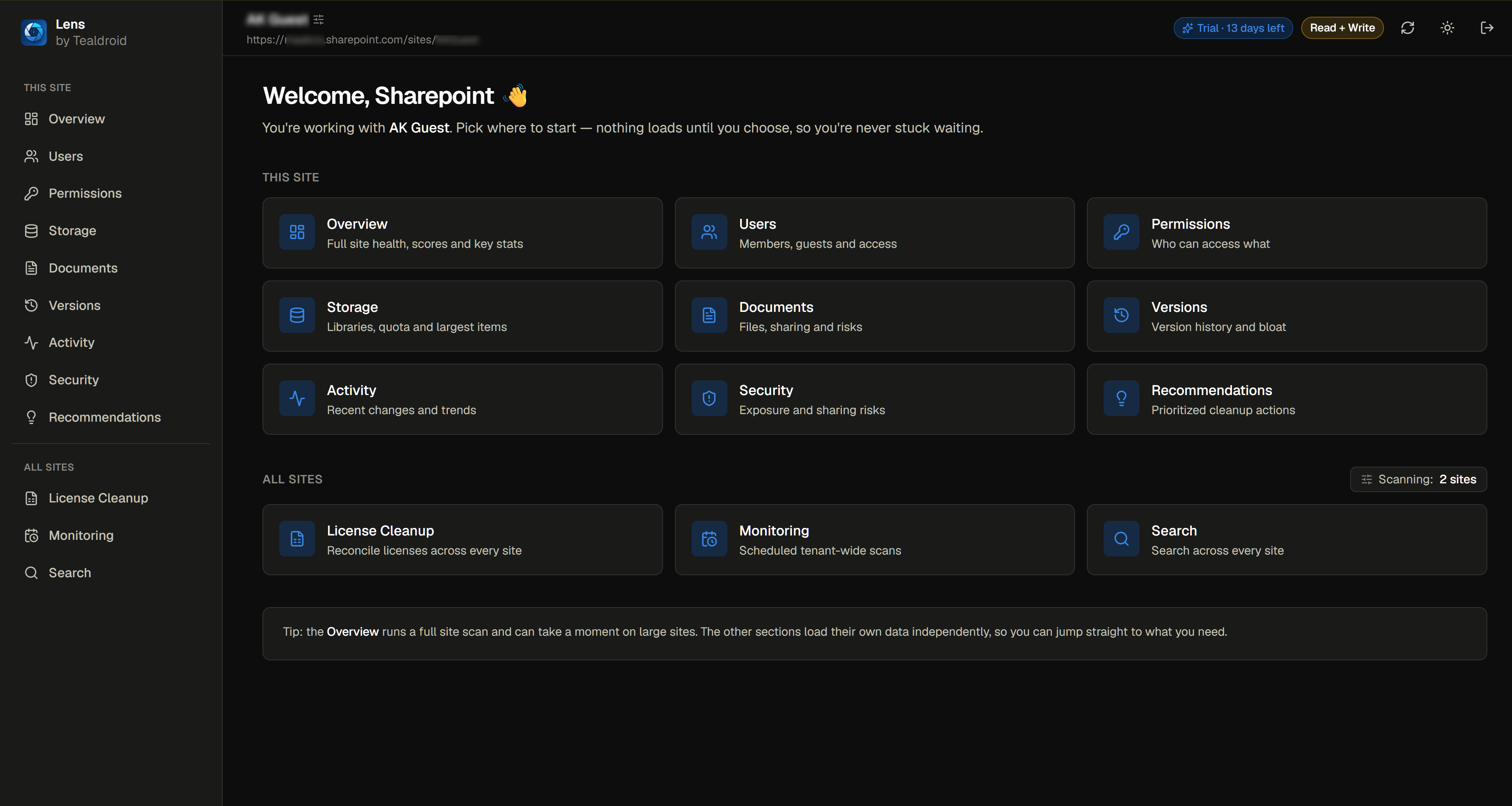
A single-glance overview of any site — users, documents, libraries, storage, sharing and risks — topped by a Site Health score (0–100).
User & access insights
Every identity on a site, reconciled against Entra ID, with how each person got access and what they'd lose if it were removed.
Permission & security review
Spot broken inheritance, direct grants, active and anonymous sharing links, external guests and stale accounts — each rated by severity.
Storage & content optimization
Find your largest libraries and files, empty libraries, duplicates, stale documents and version bloat — with reclaimable-storage estimates.
Actionable recommendations
Every finding becomes a ranked recommendation with its impact, the reason, and a suggested next step.
License cleanup
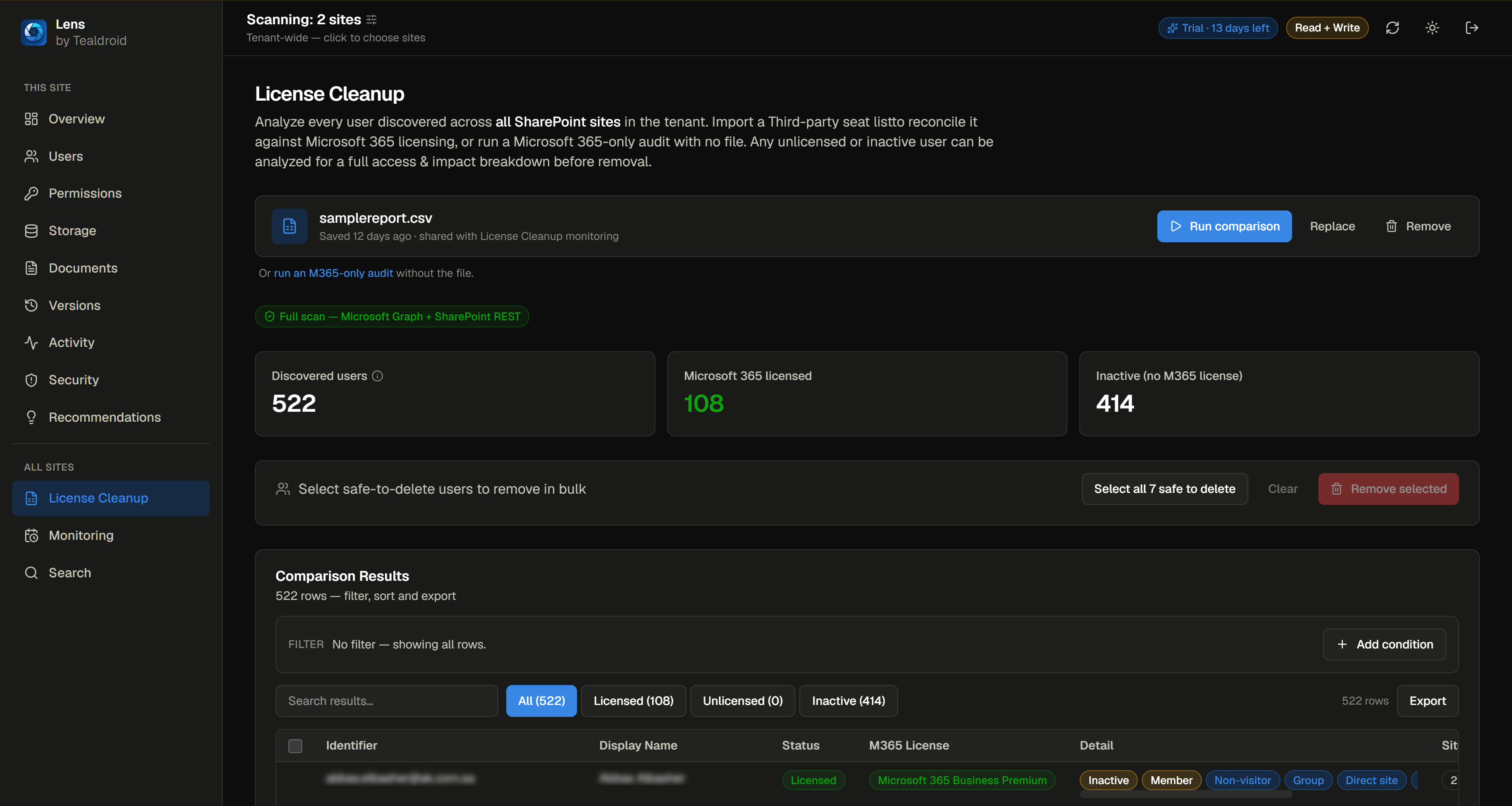
Upload your approved user list; Lens flags users who shouldn't be there across every site, analyzes impact, and helps you remove access safely.
Scheduled monitoring
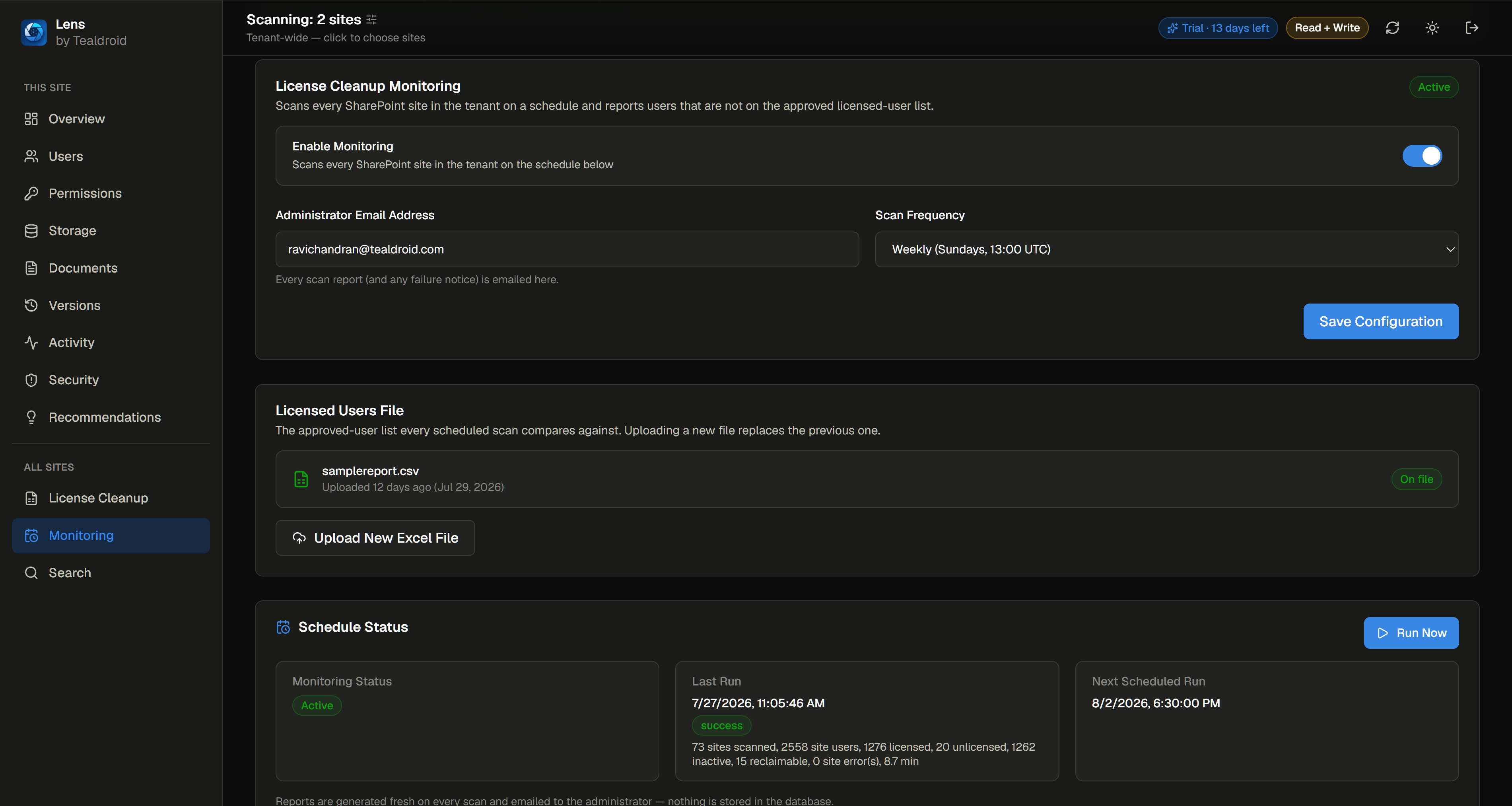
Run governance scans daily, weekly or monthly. Lens works in the background and emails a clean report — no login required.
Tenant-wide search
Search across every site at once for users, files, libraries, permissions and recommendations — with live results as each site is scanned.
Reports & exports
Export any view to Excel, CSV or PDF, and receive scheduled governance reports straight to your inbox.
From sign-in to scheduled reports.
Sign in with Microsoft
Choose your access level — analysis-only, or analysis plus management actions.
Lens scans your tenant
Using Microsoft's official Graph and SharePoint APIs — read-only unless you explicitly choose a management action.
Explore the dashboards
Review the findings and act on prioritized recommendations.
Schedule monitoring
Governance reports keep arriving automatically, on your cadence.
You choose how much access to grant.
Every management action runs only when you initiate it — and analysis and management are kept deliberately separate.
Reporting, dashboards & exports
Read permissions only — dashboards, insights and exports, with no ability to change anything. No modification is ever possible.
Governance actions, when you choose
Everything in read-only, plus actions such as removing stale users and permissions — through a separate, dedicated registration you approve independently.
Governance you can prove.
Microsoft-native
Authentication is handled by Microsoft (Entra ID). Lens never sees or stores your password.
Least-privilege by design
Separate registrations for analysis and management mean the app never holds more access than the task requires.
Minimal footprint
Scheduled monitoring requests only the read permissions it needs to scan your tenant — nothing more. Your data stays yours.
Start with a free 30-day trial.
No credit card required to explore. When you're ready, choose the plan that fits.
Getting started and short engagements.
Ongoing governance — includes two months free vs. monthly.
- Full SharePoint analysis dashboards
- Permission, security & storage insights
- Scheduled background monitoring
- Excel · CSV · PDF exports
- Email reports to your administrator
Billing is handled securely through a trusted payment provider.
Frequently asked questions.
Do I need to install anything in my tenant?
No. Lens connects through Microsoft's standard Graph and SharePoint APIs — you sign in and grant access, and it's ready.
Will Lens make changes to my environment?
Only if you choose management mode and initiate an action yourself. In read-only mode, no change is ever possible.
How does scheduled monitoring email me?
Reports are sent from Lens's own service — you don't need to grant any mail-sending permission in your tenant.
What can I export?
Any dashboard view, to Excel, CSV or PDF — plus scheduled reports by email.
Bring your Microsoft 365 tenant into focus.
Start your free 30-day trial of Lens from the Microsoft Marketplace, or book a demo to see it against your own environment.