

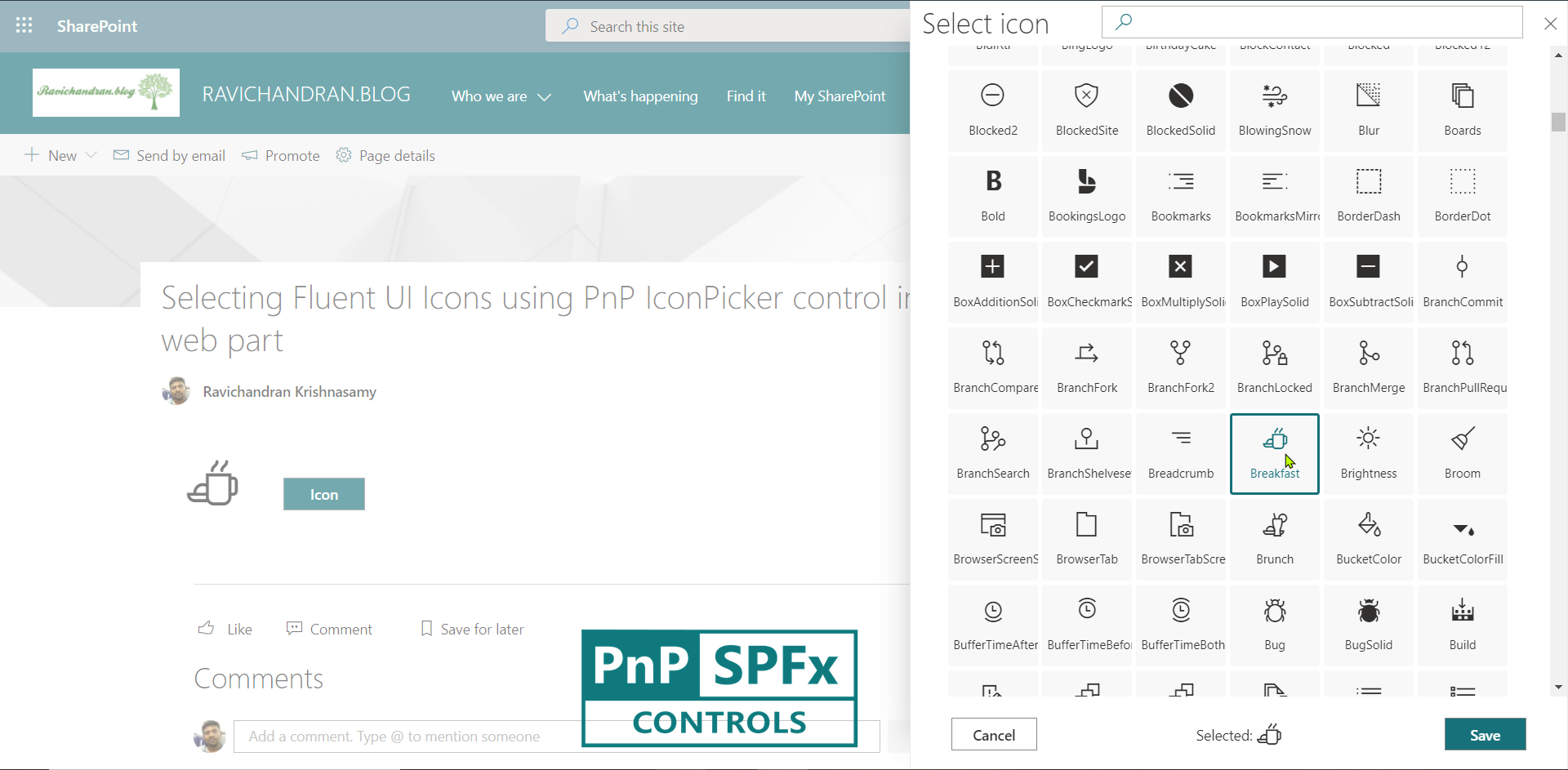
This article explains how to use the PnP IconPicker control in the SharePoint Framework (SPFx) web part to allow users to select Fluent UI icons interactively.
The IconPicker provides a simple and user-friendly interface to browse, preview, and select icons that represent actions or entities in your web part.
⚙️ Install Dependencies
Install the PnP SPFx Controls library for React:
npm install @pnp/spfx-controls-react --save --save-exact
🧩 Define the Component State
In your component folder, create a new file named IState.ts and define the state interface:
export interface ISpfxPnpIconpickerState {
  icon: string;
}
🪄 Implement the React Component
Below is the complete implementation of the Icon Picker using PnP Controls and Fluent UI.
import * as React from 'react';
import styles from './SpfxPnpIconpicker.module.scss';
import { ISpfxPnpIconpickerProps } from './ISpfxPnpIconpickerProps';
import { ISpfxPnpIconpickerState } from './ISpfxPnpIconpickerState';
import { IconPicker } from '@pnp/spfx-controls-react/lib/IconPicker';
import { Icon } from 'office-ui-fabric-react/lib/Icon';
import { Stack, IStackTokens } from 'office-ui-fabric-react/lib/Stack';
import { mergeStyles } from 'office-ui-fabric-react/lib/Styling';

const iconClass = mergeStyles({
  fontSize: 50,
  height: 50,
  width: 50,
  margin: '0 25px',
});

const stackTokens: IStackTokens = { childrenGap: 40 };

export default class SpfxPnpIconpicker extends React.Component<ISpfxPnpIconpickerProps, ISpfxPnpIconpickerState> {
  constructor(props: ISpfxPnpIconpickerProps) {
    super(props);
    this.state = { icon: '' };
  }

  public render(): React.ReactElement<ISpfxPnpIconpickerProps> {
    return (
      <div className={styles.spfxPnpIconpicker}>
        <Stack horizontal wrap tokens={stackTokens}>
          <Icon iconName={this.state.icon} className={iconClass} />
          <IconPicker
            buttonLabel="Select Icon"
            onChange={(iconName: string) => this.setState({ icon: iconName })}
          />
        </Stack>
      </div>
    );
  }
}
🚀 Build and Deploy the Solution
Run the following commands to build and package your web part:
gulp build
gulp bundle --ship
gulp package-solution --ship
Upload the .sppkg file (found under sharepoint/solution) to your App Catalog.
After deployment, you can add this web part to any SharePoint page and use the Icon Picker interface to select Fluent UI icons dynamically.
✅ Summary
This web part integrates the PnP IconPicker control with Fluent UI icons in SPFx, offering users a smooth, visual way to customize icons.
It’s a great enhancement for configuration panels, dashboards, or content customization experiences in SharePoint.