

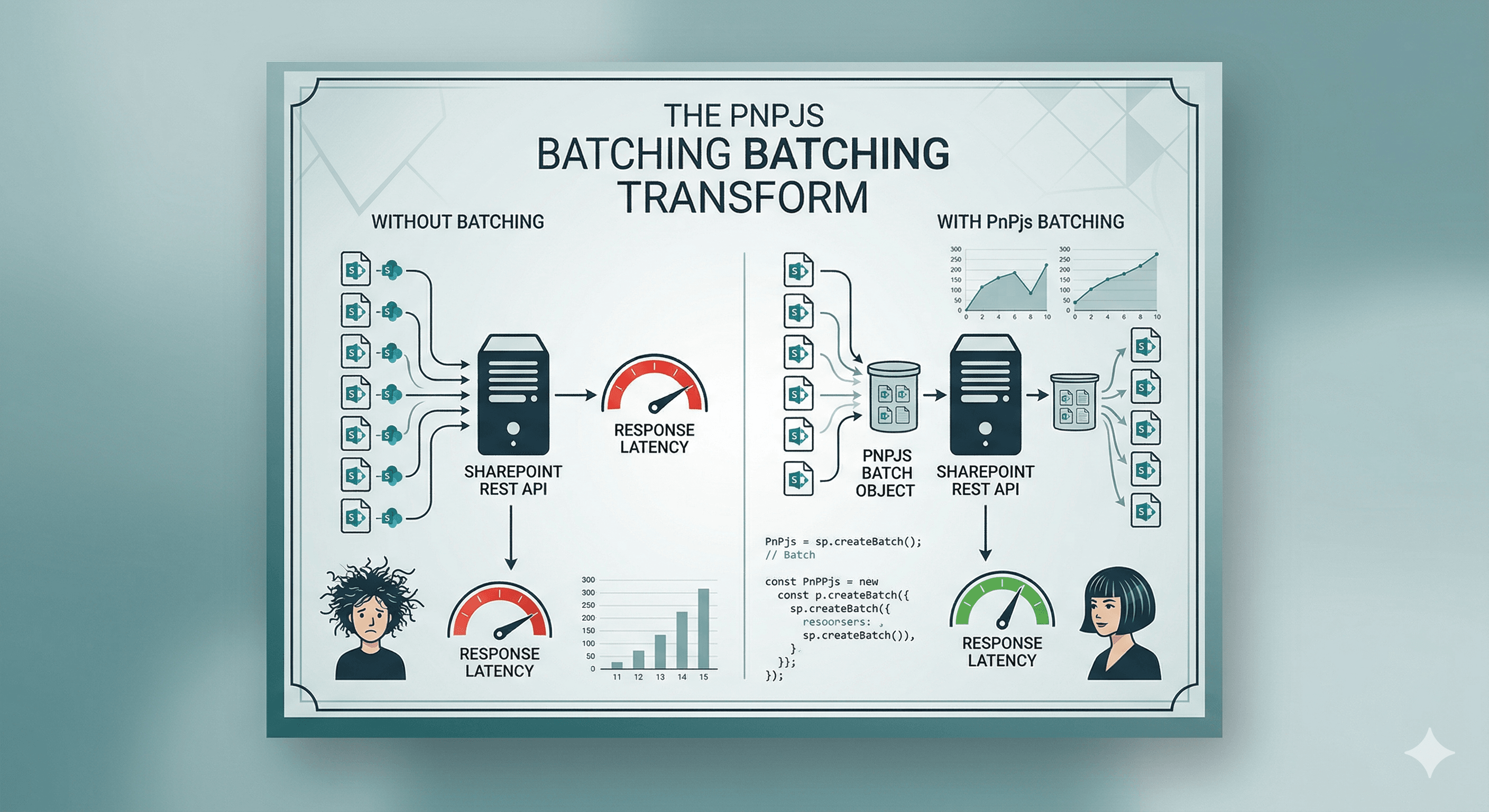
SharePoint's REST API supports OData $batch — the same concept as Graph batching, but for /_api endpoints. Send up to 100 requests in a single HTTP call, get all responses back in one multipart body.
PnPjs v3 has first-class batch support built in. This article shows you exactly how to use it, including the patterns that trip developers up: cross-site batches, error isolation, and the difference between readable and unreadable batch code.
🗺️ Why Batch?
A typical SPFx web part might need to load:
- The current site's title and description
- Items from two different lists
- The current user's profile
Without batching, that is four HTTP requests, four round trips, and four independent failure points. With batching, it is one request with four sub-requests — and the page loads measurably faster, especially on high-latency connections or from outside the tenant's region.
⚙️ How PnPjs Batching Works
You create a batch object from an sp instance, use that batch as a behaviour on individual calls, then execute the batch. All calls decorated with the batch behaviour are held in memory until you call execute().
import { spfi, SPFx } from '@pnp/sp';
import '@pnp/sp/batching';
import '@pnp/sp/webs';
import '@pnp/sp/lists';
import '@pnp/sp/items';

const sp = spfi().using(SPFx(this.context));

// Step 1 — create a batch
const [batchedSp, execute] = sp.batched();

// Step 2 — queue calls using the batched instance
// These do NOT fire immediately — they are queued
let webTitle = '';
let listItems: any[] = [];

const p1 = batchedSp.web.select('Title')().then(w => { webTitle = w.Title; });
const p2 = batchedSp.web.lists
  .getByTitle('Announcements')
  .items
  .select('Id', 'Title', 'Body')
  .top(5)()
  .then(items => { listItems = items; });

// Step 3 — execute the batch (single HTTP request)
await execute();

// All promises are now resolved
console.log(webTitle);
console.log(listItems);
The key insight: .then() handlers on batched calls do not run until after execute() resolves. The calls themselves are queued, not executed.
🧩 Practical Example — Dashboard Web Part
A dashboard that loads multiple data sources on mount:
import { SPFI } from '@pnp/sp';
import '@pnp/sp/batching';
import '@pnp/sp/webs';
import '@pnp/sp/lists';
import '@pnp/sp/items';
import '@pnp/sp/site-users';

export interface IDashboardData {
  announcements: { Id: number; Title: string; Body: string }[];
  tasks: { Id: number; Title: string; Status: string; DueDate: string }[];
  currentUser: { LoginName: string; Title: string; Email: string };
}

export async function loadDashboardData(sp: SPFI): Promise<IDashboardData> {
  const [batchedSp, execute] = sp.batched();
  const data: IDashboardData = {
    announcements: [],
    tasks: [],
    currentUser: { LoginName: '', Title: '', Email: '' }
  };

  // Queue all three calls on the same batched instance
  batchedSp.web.lists
    .getByTitle('Announcements')
    .items
    .select('Id', 'Title', 'Body')
    .orderBy('Created', false)
    .top(5)()
    .then(items => { data.announcements = items; })
    .catch(() => { /* degrade gracefully */ });

  batchedSp.web.lists
    .getByTitle('MyTasks')
    .items
    .select('Id', 'Title', 'Status', 'DueDate')
    .filter(`Status ne 'Completed'`)
    .orderBy('DueDate', true)
    .top(10)()
    .then(items => { data.tasks = items; })
    .catch(() => { /* degrade gracefully */ });

  batchedSp.web.currentUser
    .select('LoginName', 'Title', 'Email')()
    .then(user => { data.currentUser = user; })
    .catch(() => { /* degrade gracefully */ });

  // Single HTTP request — all three sub-requests sent together
  await execute();

  return data;
}
⚛️ Using the Batch in a React Component
import * as React from 'react';
import { SPFI } from '@pnp/sp';
import { loadDashboardData, IDashboardData } from '../../services/DashboardService';
import { Spinner } from '@fluentui/react-components';

const Dashboard: React.FC<{ sp: SPFI }> = ({ sp }) => {
  const [data, setData] = React.useState<IDashboardData | null>(null);

  React.useEffect(() => {
    loadDashboardData(sp).then(setData);
  }, []);

  if (!data) return <Spinner label="Loading dashboard..." />;

  return (
    <div>
      <h3>Welcome, {data.currentUser.Title}</h3>

      <h4>Announcements</h4>
      <ul>
        {data.announcements.map(a => <li key={a.Id}>{a.Title}</li>)}
      </ul>

      <h4>My Tasks</h4>
      <ul>
        {data.tasks.map(t => <li key={t.Id}>{t.Title} — {t.Status}</li>)}
      </ul>
    </div>
  );
};

export default Dashboard;
Three list calls. One network request. No race conditions.
🔀 Cross-Site Batching
To batch calls against a different site, create the sp instance with that site's URL — the batch applies to the instance's base URL:
const hrSp = spfi('https://contoso.sharepoint.com/sites/hr').using(SPFx(this.context));
const [batchedHrSp, execute] = hrSp.batched();

let policies: any[] = [];
let contacts: any[] = [];

batchedHrSp.web.lists
  .getByTitle('HRPolicies')
  .items
  .select('Id', 'Title', 'DocumentUrl')()
  .then(items => { policies = items; });

batchedHrSp.web.lists
  .getByTitle('HRContacts')
  .items
  .select('Id', 'Title', 'Email')()
  .then(items => { contacts = items; });

await execute();
You cannot mix calls from different base URLs in the same batch — each sp.batched() instance targets a single site collection's /_api/$batch endpoint.
🛡️ Error Isolation in Batches
Individual sub-request failures do not abort the batch — the other sub-requests still complete and resolve. This is the correct pattern for optional data:
const [batchedSp, execute] = sp.batched();

let primaryData: any[] = [];
let optionalData: any[] = [];
let optionalError: string | null = null;

batchedSp.web.lists
  .getByTitle('CoreList')
  .items()
  .then(items => { primaryData = items; });
  // No catch — if CoreList fails, let it throw and surface to the caller

batchedSp.web.lists
  .getByTitle('OptionalList')
  .items()
  .then(items => { optionalData = items; })
  .catch(err => {
    // This list might not exist on all sites — degrade gracefully
    optionalError = err.message;
    console.warn('OptionalList not available:', err.message);
  });

await execute();
// primaryData is set, optionalData is [] or set depending on whether OptionalList exists
⚠️ Common Batching Mistakes
Not using the batched instance for all calls. If you mix sp and batchedSp calls, only the batchedSp ones are batched — the sp calls fire immediately and independently. Use only the batched instance inside a batch block.
Awaiting individual calls before execute().
// ❌ Wrong — this awaits the queued call, which never resolves until execute() is called
const items = await batchedSp.web.lists.getByTitle('Tasks').items();
await execute(); // Too late — the await above hangs forever
Reading results before execute() resolves. The .then() callbacks only run after execute() — do not try to read the results before awaiting execute().
Batching more than 100 requests. SharePoint's $batch endpoint has a 100-request limit. Split large batches into chunks of 100.
📂 GitHub Source
View full SPFx project on GitHub:SPFx PnPjs batch request examples — list ops, cross-site calls, and error isolation
✅ Summary
- Create a batch with
sp.batched()— it returns[batchedSp, execute]. - Queue all calls on
batchedSpusing.then()to capture results. - Call
await execute()once to fire all queued calls as a single HTTP request. - Add
.catch()per sub-request for graceful degradation on optional data — failures do not abort the batch. - Cross-site batches work by creating a new
spinstance with the target site URL. - Never
awaitindividual calls before callingexecute()— they will hang indefinitely.
Happy coding!