

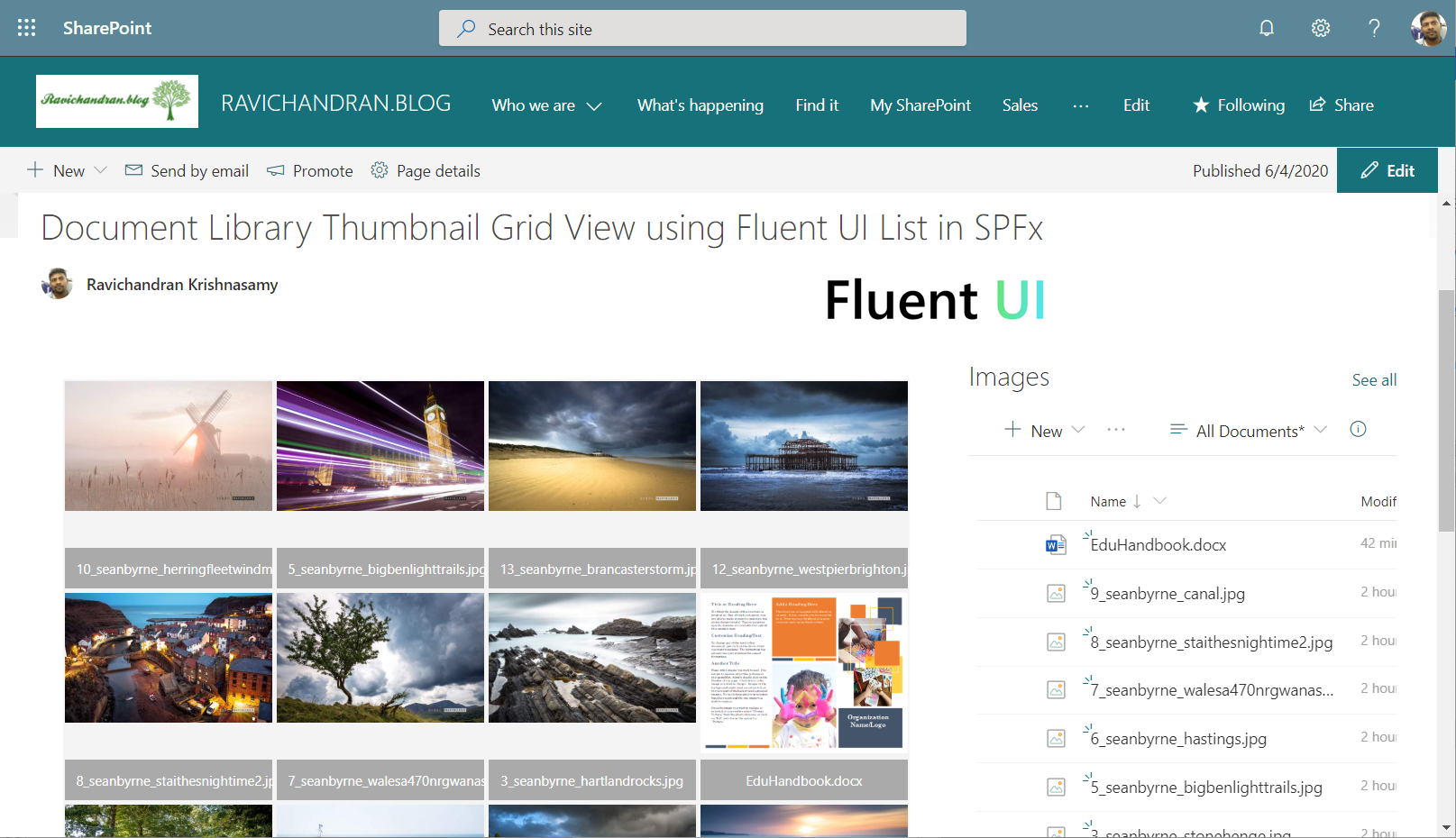
This article demonstrates how to implement a Document Library Thumbnail Grid View using Fluent UI List in the SharePoint Framework (SPFx).
The Fluent UI List provides a flexible and lightweight way to render custom list layouts — ideal for modern SharePoint web parts that need visual, responsive document previews.
⚙️ Install Required Libraries
Install PnPjs and Fluent UI React packages:
npm install @pnp/sp --save
npm install office-ui-fabric-react --save
🧩 Implement the Thumbnail Grid
Component Setup
Create a new file named SpfxFluentUiList.tsx under the components folder.
import * as React from 'react';
import { List } from 'office-ui-fabric-react/lib/List';
import { Image, ImageFit } from 'office-ui-fabric-react/lib/Image';
import { sp } from '@pnp/sp/presets/all';
import "@pnp/sp/webs";
import "@pnp/sp/lists";
import "@pnp/sp/items";

export interface ISpfxFluentUiListState {
  images: any[];
}

export default class SpfxFluentUiList extends React.Component<{}, ISpfxFluentUiListState> {
  constructor(props: {}) {
    super(props);
    this.state = { images: [] };
    sp.setup({ spfxContext: (window as any).spfxContext });
  }

  public componentDidMount(): void {
    this._getFiles();
  }

  private async _getFiles() {
    const items: any[] = await sp.web.getFolderByServerRelativeUrl("/Shared Documents").files.select("Name, ServerRelativeUrl").get();
    const images = items.map(item => ({
      name: item.Name,
      url: item.ServerRelativeUrl
    }));
    this.setState({ images });
  }

  private _onRenderCell = (item: any, index: number): JSX.Element => {
    return (
      <div style={{ width: 160, margin: 10, textAlign: "center" }}>
        <Image src={item.url} alt={item.name} width={160} height={100} imageFit={ImageFit.cover} />
        <div style={{ marginTop: 6 }}>{item.name}</div>
      </div>
    );
  };

  public render(): React.ReactElement<{}> {
    const { images } = this.state;
    return (
      <div style={{ overflow: "auto", maxHeight: "400px" }}>
        <List
          items={images}
          onRenderCell={this._onRenderCell}
          renderedWindowsAhead={0}
        />
      </div>
    );
  }
}
🧠 How It Works
- The
sp.web.getFolderByServerRelativeUrl()method fetches files from your document library. - The Fluent UI List component renders each file in a responsive thumbnail grid.
- Each item shows a preview image and filename.
🚀 Build and Deploy
Bundle and package your web part:
gulp build
gulp bundle --ship
gulp package-solution --ship
Upload the generated .sppkg file from the sharepoint/solution folder to your App Catalog and add the web part to your SharePoint page.
📂 GitHub Sample Project
View full SPFx project on GitHub:Document Library Thumbnail Grid View using Fluent UI List in SPFx
✅ Summary
The Fluent UI List component provides an elegant and highly customizable way to display SharePoint library items in a thumbnail grid layout.
This approach is ideal for file galleries, image previews, and media dashboards within SPFx web parts.